
Rubber and soft-touch phone cases earn their keep because they feel secure in the hand. They also collect the evidence of daily life: hand cream, sunscreen, cooking residue, pocket lint, and the faint gray film that makes a once-matte finish look tired. The answer is not a harsh cleaner or a long soak. A controlled, gentle clean protects the finish, keeps moisture away from the phone, and makes it easier to tell whether a case needs care or replacement.
First, work out what the case is made of
“Rubber” is a useful everyday description, but phone cases can be silicone, TPU, soft-touch plastic, or a blend of a flexible bumper and a firmer back. Those surfaces can look similar while reacting differently to solvents, abrasives, and heat. Start with the care information from the case maker whenever it is available. That is especially important for a printed, coated, magnetic, or leather-look case.
When you cannot confirm the material, use the least aggressive method. Apple’s case care guidance for common silicone, clear, polycarbonate, and TPU cases begins with a soft, slightly damp, lint-free cloth and warns against household cleaners, solvents, abrasives, and products containing hydrogen peroxide. That is a sensible baseline for a soft case whose finish you want to preserve.
Take a moment to inspect the case before cleaning. Look for loose corners, cracks around the buttons, peeling coating, a warped edge, or a magnetic ring that no longer sits flat. Cleaning removes residue. It cannot restore a case that has stopped fitting securely around the phone.
Remove the phone and clear away dry grit
Take the phone out before any damp cleaning. This keeps moisture away from the camera, ports, speakers, and buttons, and lets you reach the inside rim where dust tends to hide. Work over a clean towel or soft table surface, not the edge of a sink or a hard floor.
Use a clean, dry microfiber cloth to lift loose lint and grit from the inside, outside, corners, and button covers. Fold the cloth into a small pad so you can use a clean section as you go. Do not scrape with a fingernail, card, toothpick, or metal tool. On a soft finish, the shortcut can leave a permanent shiny mark or a scratch that catches even more dirt.
This dry pass matters because rubbing grit into a damp surface can dull the finish. It is also the easiest way to spot whether the problem is residue or a worn patch where the coating has become smoother from normal use.
Use a barely damp microfiber cloth for the main clean
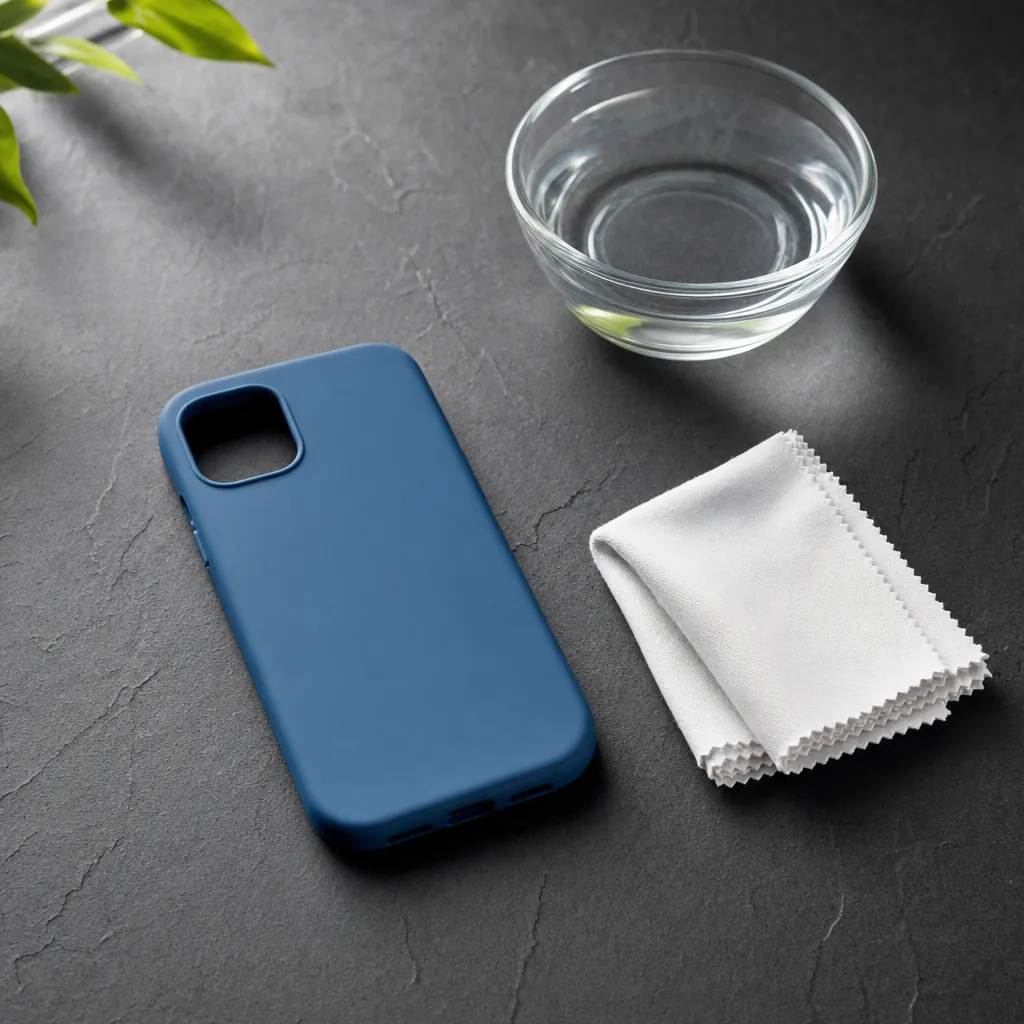
Dampen one corner of a second lint-free microfiber cloth with plain water. It should feel slightly damp, not wet enough to drip. Wipe the outside and inside in small, light passes, then use a dry part of the cloth to pick up remaining moisture. Do not spray water or cleaner directly onto the case.
Pay extra attention to the spots your fingers touch most often, the lower corners, and the inside edge around the camera opening. If the case has raised texture, press the cloth into the texture gently rather than scrubbing across it. A soft brush can be useful only when the maker permits it and only with light pressure around non-moving, non-coated details.
A soft case does not need to be saturated to come clean. Controlled moisture is easier to remove, less likely to reach seams or moving parts, and far kinder to the finish. If a damp microfiber wipe noticeably improves the feel, stop there. More cleaning is not automatically better cleaning.
Handle stubborn residue without making the case worse
Sunscreen, lotion, makeup, food oils, and cleaner film can all leave a rubbery or soft-touch case feeling slick or tacky. Repeat the barely damp microfiber pass first, using a clean section of cloth each time. Several gentle passes are safer than one hard scrub. If the case maker specifically allows mild soap, use only a tiny amount on the cloth, then wipe it away with a separate cloth lightly dampened with fresh water.
Skip bleach, acetone, nail polish remover, glass cleaner, rough sponges, abrasive powders, and “magic” erasers. They can take off more than the grime. A cleaner that makes a smooth rubber case feel squeaky, patchy, sticky, or unusually dull has not solved the problem. It has changed the surface.
Rubbing alcohol is not a universal fix either. It may suit some materials, but it can affect coatings, prints, faux leather, and adhesive areas. Use it only when the manufacturer says it is suitable for that exact case. When the material is uncertain, plain water on a soft cloth is the better decision.
Tell residue, staining, and wear apart
A good cleaning decision starts with naming what you see. Residue usually feels like a removable film. It can be shiny, greasy, dusty, or slightly tacky, and it often appears where your hand rests or where the case touches a bag, desk, or car console. It should improve at least a little after a dry wipe or a careful damp-cloth pass.
Staining is different. Dye transfer from denim, makeup, food, or a colored bag can settle into a light-coloured soft case. If the maker offers a material-specific method, follow it. If not, do not escalate through increasingly strong products just to chase a faint mark. A soft coating can be permanently altered long before a stain lifts. Keep the case clean, dry, and secure, then decide whether the remaining mark actually affects how you use it.
Wear tends to show up as a smooth patch, a flaky layer, a sticky spot that returns after cleaning, or a change in texture that follows the shape of your hand. That is not dirt. It is a sign that the surface itself has changed. A fresh case is usually a better answer than trying to restore a coating with household chemistry.
Keep magnetic, stand, and grip areas dry
Many cases now add a magnetic ring, folding stand, card holder, or grip. Those features give dirt extra places to collect, but they also give moisture and cleaner more places to cause trouble. Wipe around the edge with the cloth rather than pushing it into a hinge, seam, card slot, or magnetic ring.
If the case supports magnetic accessories, remove a detachable wallet, grip, or battery before you clean. Wipe both contact surfaces dry before putting anything back. The magnetic charging compatibility guide explains why extra thickness, poor alignment, and add-ons can make a charger or mount less reliable.
For a built-in stand or ring, move it only through its normal range after the case is dry. Do not add oil, lubricant, or aerosol cleaner to a hinge. If it still catches, wobbles, or refuses to hold its position, it is a wear issue, not a cleaning task.
Dry the case completely, then check the fit
Pat the case dry with a clean part of the microfiber cloth and leave it open-side up until the corners, button covers, camera opening, and seams feel fully dry. Do not use a hair dryer, radiator, direct sun, or a hot dashboard to rush it. Heat can warp flexible materials and make a case fit less securely.
While the case dries, use a dry microfiber cloth to clear lint from the phone’s back and edges. Once the case feels dry, put the phone back in and press each corner into place gently. The edges should sit evenly, the buttons should line up, and the camera opening should remain clear. Our safe phone case removal guide is useful if a tight flexible case makes this step awkward.
Finish with a simple touch check. The surface should feel dry and consistent, not greasy, gritty, or sticky. If it still feels tacky after a careful clean, the material or coating may be worn. That is useful information, because a comfortable case needs to grip your hand without making you squeeze the phone harder.
Know when to replace rather than keep cleaning
Replace a soft phone case when the edge stretches away from the phone, the corners crack, button covers tear, a coating flakes, or the camera surround no longer feels secure. A case can look clean and still no longer do its job. Fit is what keeps the protective edge where it needs to be during an everyday bump or drop.
Replacement also makes sense when the surface stays sticky, rough, or uneven after gentle care. Trying harsher cleaners can turn an annoying texture into a damaged one. If grip is the issue on an otherwise sound case, read the less-slippery phone case guide before adding anything that could cover buttons, ports, or a magnetic charging area.
When you are ready for a fresh option, browse the phone case collection around the way you actually use your phone. A soft matte finish can be a good fit for someone who wants a calm, secure feel. A magnetic case can suit a charger or car-mount routine. The right choice is the one that stays comfortable, fits correctly, and supports the accessories you rely on every day.
Make gentle care part of the routine
A quick dry wipe every week or two prevents residue from turning into a bigger job. Clean sooner after hand cream, sunscreen, a workout, cooking, travel, or a spill. Keep a microfiber cloth where you charge your phone or in the bag you use most. That is more useful than a cabinet full of strong products because it puts the low-risk option within reach.
Use the cleaning moment to check the rest of the setup: the inside rim, charging surface, camera opening, and corners. The best time to notice a stretched edge or a loose stand is before you are trying to catch a slipping phone. Simple care is not about making a case look factory-new forever. It is about keeping the surface comfortable and the fit dependable for as long as the case has useful life left.
It also helps to keep the cleaning routine separate from the rest of your phone-care routine. Clean the case first, let it dry, then clean the phone with the method its manufacturer recommends. Do not put the phone back into a case that feels damp around the rim or camera opening. Taking an extra few minutes gives trapped moisture and leftover lint a chance to leave instead of getting pressed against the device.
A small care routine is especially helpful when you change your setup. A new charger, a card wallet, a car mount, or a grip can change the way you hold the case and the places where residue collects. A quick inspection after the first week of use makes it easier to correct a poor fit or a sticky surface before it becomes normal. The result is simple: your phone feels better to hold, your accessories sit more predictably, and you know when a case has done its job long enough.
FREQUENTLY ASKED QUESTIONS
Rubber phone case cleaning questions
Can I wash a rubber phone case with soap and water?
Check the maker’s directions first. When they allow it, use only a small amount of mild soap on a soft cloth, then remove residue with a second slightly damp cloth and let the case dry completely before reinstalling it.
Why does my rubber phone case feel sticky after cleaning?
A sticky feel can come from leftover cleaner, skin oils, or a worn coating. Start again with a clean, slightly damp lint-free cloth, then dry the case fully. If the feel does not improve, the surface may be worn rather than dirty.
Can I use rubbing alcohol on a rubber phone case?
Only when the case maker says it is suitable for that exact material and finish. Alcohol can affect some soft-touch coatings and printed surfaces, so plain water on a microfiber cloth is the lower-risk starting point.
How often should I clean a rubber phone case?
A quick wipe every week or two is enough for most everyday use. Clean it sooner after sunscreen, hand cream, exercise, cooking, travel, or a spill that leaves residue behind.
RELATED POSTS
Keep your case clean, comfortable, and ready to use.
How to Clean a Silicone Phone Case Without Making It Sticky
Learn how to clean a silicone phone case with a damp microfiber cloth and avoid cleaners that can leave the finish sticky.
READ ARTICLE ↗
How to Clean a Sticky Phone Case
A safe way to remove residue from a sticky phone case, avoid damage, and tell when the case needs replacing instead.
READ ARTICLE ↗
How to Clean a Phone Case Safely
A simple, material-aware way to clean a phone case without trapping moisture, scratching the finish, or using the wrong cleaner.
READ ARTICLE ↗