Keep notifications in sight
Set the screen at an angle that is easy to glance at during the day, so you can stay aware of calls, messages, and timers without picking up the phone every few minutes.
FOR THE DESK
Keep your phone upright, easy to see, and out of the way with a desk stand that suits your workday, calls, and charging routine.
A CLEARER DESK
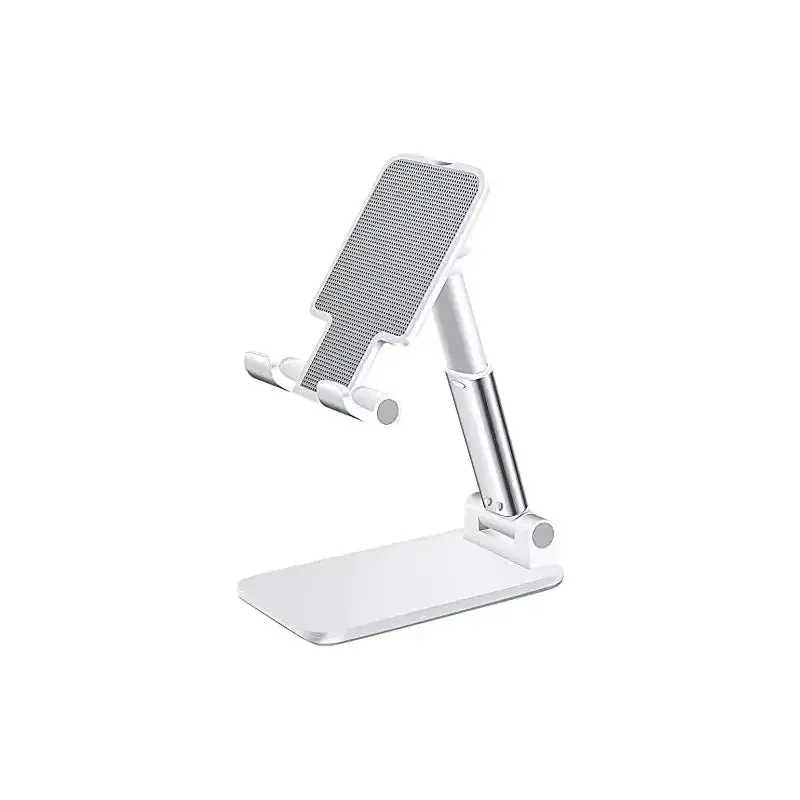
A desk phone stand does one simple job well: it keeps your screen where you can see it without letting it take over the workspace. Instead of resting your phone flat beside a keyboard or leaning it against something unstable, you have a steady place for messages, timers, music controls, video calls, and the quick check-ins that happen throughout the day.
The Snap & Grip adjustable desk phone holder is a straightforward choice when you want a dedicated viewing spot without adding clutter. It gives your phone a comfortable upright position for an office, kitchen counter, bedside table, or study space. Move the phone onto the stand when you need it, then keep the rest of the surface clear for the work in front of you.
VIEW THE ADJUSTABLE DESK STAND ↗WHY A STAND HELPS
Set the screen at an angle that is easy to glance at during the day, so you can stay aware of calls, messages, and timers without picking up the phone every few minutes.
A steady upright phone is useful for a quick video call, a longer chat, or a hands-free conversation while you finish another task nearby.
Giving the phone one consistent spot helps prevent a desk, counter, or nightstand from turning into a loose pile of cables, accessories, and everyday clutter.
CHOOSE THE RIGHT ROUTINE
Choose a simple adjustable desk stand when the main goal is a better viewing angle. It is a flexible fit for someone who uses a cable when the battery runs low, moves their phone between rooms, or wants an uncomplicated holder that does not ask them to change the rest of their setup.
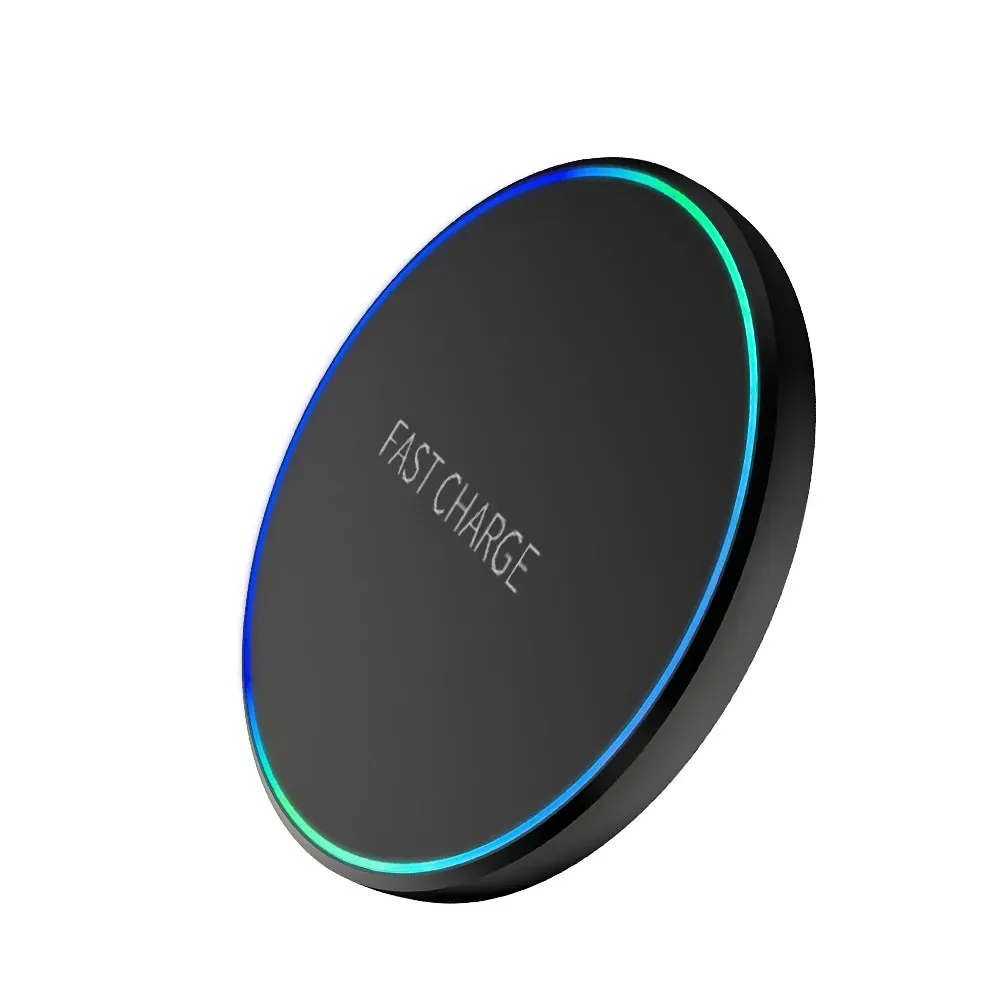
Choose a charging stand when your desk is already a regular charging stop. A 3 in 1 dock can keep a compatible phone, watch, and earbuds together in one place. It helps reduce the shuffle of finding the right cable at the end of a busy day.
The better choice is not automatically the most elaborate one. Think about where you use the stand, what you want to see on the screen, and whether charging needs to happen at the same time. A clear answer to those three questions usually points to the right style.
SHOP THE 3 IN 1 CHARGING DOCK ↗SET UP FOR YOUR DAY
At a work desk, the main question is usually the viewing angle. The phone should sit where you can read a message or join a call without dropping your eyes all the way to the desktop. A stand helps create that position while leaving your hands free for a keyboard, notebook, or whatever task is already in progress. This is especially useful when the phone is part of your workflow but should not become the center of it.
In a kitchen or shared space, stability matters just as much. A phone stand can keep a recipe, timer, playlist, or call visible without bringing the phone too close to splashes or forcing it to balance against a container. On a nightstand, it gives the phone a consistent resting place so charging cables and small accessories do not spread across the surface.
Consider the case you already use, too. A bulky case, wallet-style cover, or magnetic accessory can affect how a phone sits. The featured adjustable stand is designed as a universal mobile stand, but checking the product details against your own phone and case is the sensible last step before you buy. A stand should make your setup easier, not require a different case just to work comfortably.
It also helps to think about portrait and landscape viewing. Portrait is useful for messages, vertical video, and most calls. Landscape can be more comfortable for longer video, a recipe, or following along with a workout. An adjustable phone holder gives you more freedom to find the position that feels right instead of accepting one fixed angle for every activity.
Finally, decide whether you want the stand to travel. A compact, uncomplicated holder is easier to move between a home office, a campus desk, a kitchen counter, or a hotel room. A charging dock makes more sense when it will live in one regular location and become part of the way you end each day. Both options can be useful, but they solve slightly different problems.
For a simple, flexible viewing stand at work, home, or school.
FROM $11.99SHOP ADJUSTABLE DESK STAND ↗For keeping compatible daily devices together at one charging station.
FROM $11.99SHOP 3 IN 1 CHARGING DOCK ↗MAKE THE MOST OF THE SPACE
Set the stand on a firm, level surface with enough room around it for the phone and cable. That sounds obvious, but a stand works best when it is not squeezed between a laptop edge, a stack of papers, and a drink. Give it a dedicated spot where the screen can stay visible without interrupting the rest of the workspace.
When you use a cable, route it from the stand toward the power source with enough slack to connect comfortably. The goal is not a perfectly staged desk. It is a setup that does not snag, pull at the phone, or make you move the stand every time you need to charge. For a wireless charging stand or dock, check compatibility on the product page before choosing the option that fits your device.
Keep the contact surface free of crumbs, dust, and loose small items. A quick wipe and a clear space make the stand easier to use and help it stay a dependable part of the daily routine. The best desk accessories are the ones you stop noticing because they quietly remove a small annoyance every day.
FREQUENTLY ASKED QUESTIONS
Start with a stable base, an angle you can see comfortably, and enough room to connect a charging cable when you need one. The right stand should fit the way you work, call, watch, or follow along with a recipe.
The featured adjustable desk holder is a universal mobile stand. Check the product page before buying to make sure it suits your phone and the case you use every day.
Yes, a desk stand can keep your phone upright while you connect a cable. If you want a charging setup built into the stand, the 3 in 1 charging dock is designed around that kind of desk routine.
A phone stand can make video calls more comfortable by keeping the screen at a consistent angle instead of asking you to prop it against a mug, stack of books, or whatever happens to be nearby.
READY FOR A BETTER VIEW
Choose a desk phone stand that keeps your screen within reach for the calls, charging, and everyday moments that shape your day.